Agent Harness as a Service: One Isolated Machine per Job, Sold to Clients
Run a Claude Code or Codex harness in its own machine per job, load your skills, keep it secure and sell it as a service or SaaS. Here is how it fits together.

By Mark Fulton
Published 9 min read
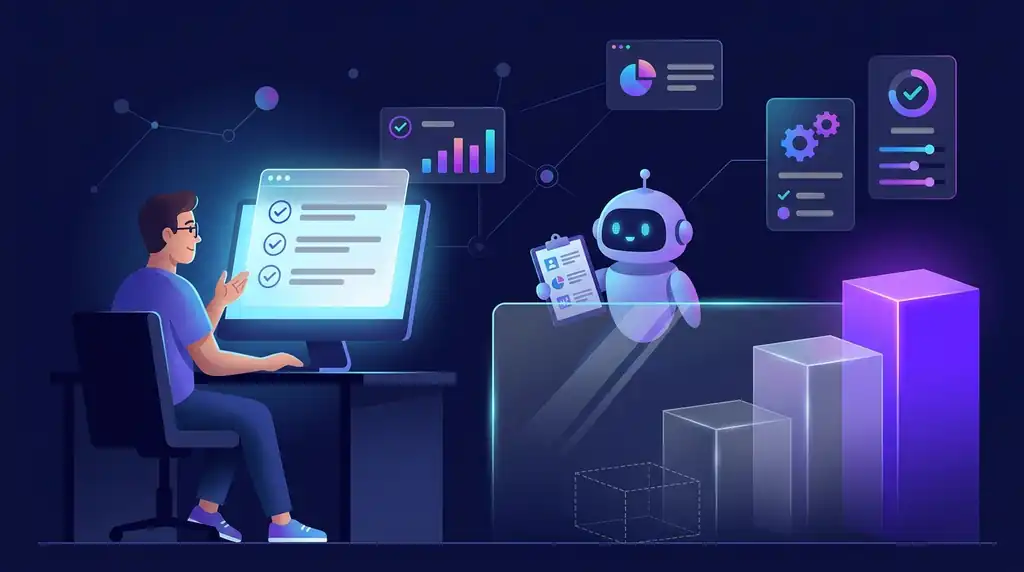
Most people who run an agent harness run it on their own laptop. It has their files, their logged-in browser, their keys and their patience. That works for one person. It stops working the moment you want to hand the same thing to a client, an app or a team, because you cannot hand over your laptop.
An agent harness as a service is the fix. Each job gets its own machine, the harness starts with your skills and instructions already loaded, and a client or an app starts the job with one request. I walked through how I spin these up and deploy them on demand in a live session, and this post is the written version of the parts worth keeping: what the unit of work is, how to keep it safe, and how people are getting paid for it.
What is an agent harness as a service?
A harness is the whole coding agent: the model, the loop that lets it plan and act, the tools it can call and the instructions it follows. Claude Code is one. Codex is another. When you use one on your own machine you are using a harness that happens to live next to your files.
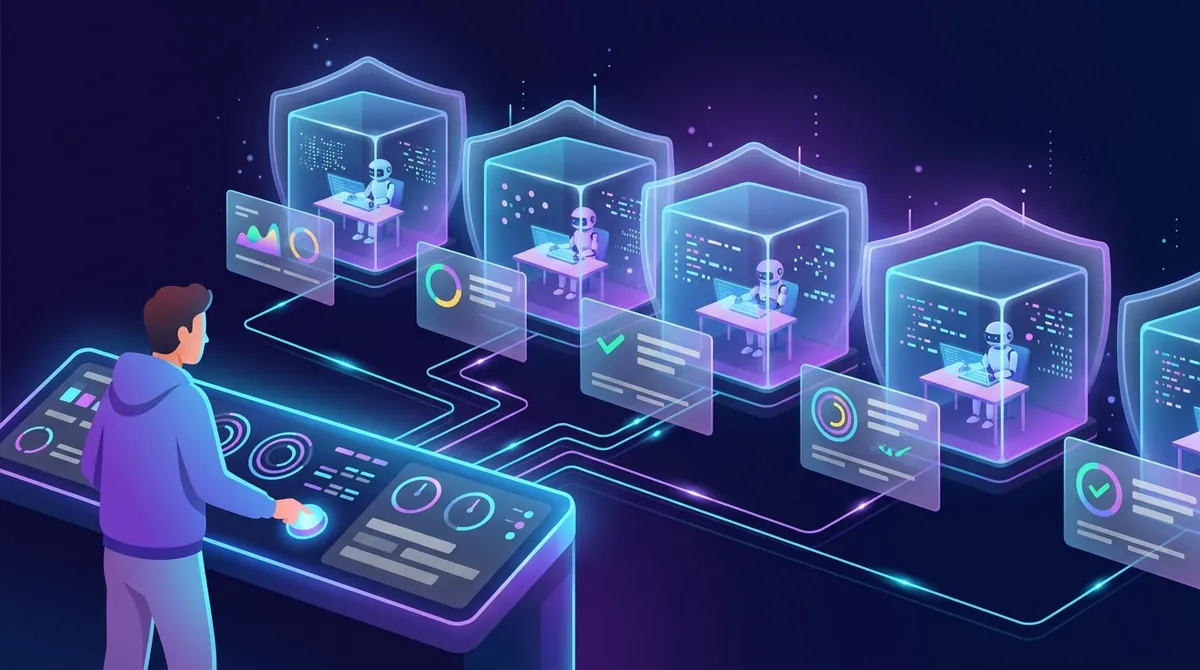
As a service, the same harness runs inside its own virtual machine instead. It is not a single model call that returns text. It is a full working environment that can read a project, run commands, write files and keep going for as long as the job takes, then hand back a result and disappear.
That difference changes the kind of work you can sell. A model call can answer a question. A harness in its own machine can finish a piece of work: audit a repo, build a feature, produce a report from a pile of source files, run a checklist across a client's site. The job goes in as one request and comes out as a finished thing.
Why does each job need its own machine?
Because the alternative is a shared machine, and shared machines are where the trouble starts. I covered the collisions in the post on running multiple AI agents: two jobs fighting over the same files, the same sign-in, the same port. With one machine per job those problems cannot happen, because there is nothing shared to collide on.
Isolation also answers the question every client eventually asks: what else can this thing see? If the honest answer is "only the project you gave it, inside a machine that is gone when the job ends," the conversation gets easier. If the answer is "it runs on my computer alongside everything else," it gets very hard.
The Claude Code documentation lays out the same principle from the tool's side, including how its sandboxing limits what a running agent can touch. Reading that page is a good way to see which boundaries the harness gives you and which ones you still have to build around it.
What do you load before the first job runs?
This is the part that makes a harness yours rather than a generic one. Before any job starts, the machine is set up with three things.
- The base agent. You pick which harness runs: Claude Code, Codex, or another one. Different clients and different jobs suit different agents, and the machine does not care which you choose.
- Your skills. The reusable procedures the agent follows for the work you sell. If your edge is a particular way of auditing a site or producing a deliverable, that procedure lives here, written once and loaded every time.
- Instructions and guardrails. What the agent is for, where it stops, and what it must never do. This is the same job description idea I wrote up in the post on the AI employee job description, applied to a machine that starts fresh each time.
Because the machine starts from the same loaded state on every job, the work is repeatable. That matters more than it sounds. A client who pays for the same result twice expects it to come out the same way twice, and a harness that rebuilds itself from a known setup is far easier to trust than one that drifts after weeks of use on a personal computer.
How do you keep it secure?
Three habits do most of the work, and none of them is exotic.
One isolated machine per job. Nothing carries over between jobs, so a mistake or a poisoned input in one job cannot leak into the next. When the job finishes, the machine goes away.
Scoped credentials. Give each job only the keys it needs, and make each key do only what that job requires. A job that reads a client's repo does not need a key that can write to it, and it certainly does not need your own accounts. I went through the layers of this in the post on AI agent permissions: what an agent reads, what it can change, which credentials it holds and for how long.
A human stop in front of anything that sends or spends. The agent can draft the email, but a person approves it before it goes. The agent can prepare the change, but a person approves it before it ships. The AI agent approval workflow post covers what to gate and what to let run unattended. The short rule I use: if an action cannot be undone or costs money, it waits for a person.
None of this removes the need to think about what an agent can be tricked into doing. The OWASP list of risks for applications built on large language models is a useful checklist for that, because it names the failure modes in plain terms: prompt injection, excessive agency, leaking sensitive data. A harness inside a locked box with narrow keys and a human stop is built to survive exactly those.
You also want a way to stop a job that has gone wrong. The same logic from the kill switch post applies: the thing that stops the run should not depend on asking the agent to stop. With a machine per job, the simplest version is that you shut the machine down.
How do you start a job with one request?
The goal is that your app, or a client's system, never has to know anything about how the harness works. It sends a request that says which harness, which skills and what task. A service on your side creates the machine, loads the setup, starts the job and returns the result when it finishes.
That is the same shape as any other API. The client sees a job go in and a result come out. You see a machine that spun up, ran and was removed. The harness is an implementation detail, which is what lets you swap the base agent later without the client noticing.
When you run this kind of setup, treat the log as part of the product. Every job should leave a short record of what it was asked, what it touched and what it returned, because the first time a client asks what happened on Tuesday you want to answer in a minute. The post on the AI agent audit log describes a format that does this without anyone reading a full transcript.
Where does the money come from?
There are two clear routes, and they suit different people.
Sell it as a done-for-you service
Point the same setup at a client's workload and charge for the outcome. The client does not care that a harness is involved. They care that the audit is done, the report is written or the backlog is cleared. You run the jobs, check the output and deliver the result. The harness is your production line.
This route is the faster one to a first client, because you can start by running the jobs yourself and only automate the request layer once the work is proven.
Wrap it in a product and sell it as a SaaS
Put an interface in front of the request layer and let customers start their own jobs. Now you are selling software that does a specific piece of work on demand. It takes longer to build and it scales further, because a new customer costs you the machine time for their jobs and not your own hours.
How do you price it?
Three models work, and the right one depends on how predictable the job is.
- Per job. A fixed price each time a job runs. This is the easiest for a customer to understand and works well when jobs are similar in size.
- Per seat. A flat amount for each person who can start jobs. It suits teams that use the service regularly and want a predictable bill.
- Per outcome. You are paid when the result is delivered, such as a finished audit or an approved piece of work. It is the hardest to set up and the easiest to sell, because the customer only pays for what they get.
Whichever you choose, work out what a job actually costs you first: machine time, model usage and your own review time. I broke down those line items in the post on what it costs to run an AI agent. If you skip that step, per-job pricing is a guess, and a guess that is too low on a long job loses money every time it runs. I also wrote about pricing the run before pricing the offer in productized AI services.
Who is this for?
Anyone who already runs an agent harness on their own machine and wants to give the same capability to a client, an app or a team without giving away their laptop. If you have never run a harness locally, start there first. Get one agent doing one real job reliably, and then ask how to package it.
Where can I see how I set it up?
I covered this in the Agent Harnesses as a Service session on October 10. In it I show how I spin up and deploy custom harnesses on demand, how the skills and instructions get loaded, where the security boundaries sit and how the pricing options work out. The replay is free with a club account and plays inside the Agent Ops Club, so you can watch the setup step by step on the session page.
FAQ
What is the difference between an agent harness and a model API call?
A model call takes text in and gives text back. A harness wraps the model in a loop with tools, so it can plan, run commands, edit files and keep working until a task is done. Running it inside its own machine gives that working environment a clear boundary.
Do I need to build my own harness to do this?
No. You choose an existing harness as the base agent, such as Claude Code or Codex, and load your own skills and instructions on top. The work you add is the setup, the guardrails and the request layer, not the agent loop itself.
Is it safe to give a client access to a coding agent?
It is safe to the extent that you control what the agent can reach. Use one isolated machine per job, give it only the credentials that job needs, and keep a human approval in front of anything that sends or spends. The client should never receive your own accounts or keys.
Should I start with a service or a SaaS?
Start with the service. Running the jobs yourself shows you what the work really involves, what it costs and where it breaks. Once the same job repeats and you trust the output, wrap the request layer in a product.
How do I stop a job that goes wrong?
Make the stop independent of the agent. Because each job runs in its own machine, you can shut the machine down from outside, and nothing else is affected. Pair that with a short record of what the job did so you can see what happened afterward.
Put AI Employees to work
If you want the working pattern behind this, the Agent Ops Club has a free plan, and members get the AI Employees, the Agent Ops Masterclass, a software library with a deployable licence and live sessions with their replays. Start at the Agent Ops Club and watch the harness session replay when you are ready to build your own.
Written by
Mark Fulton
AI agent and app developer. Founder, Reinventing.AI.
Mark Fulton is a leading AI agent and app developer. He has built AI agents for 4 years, after 27 years in web development, and has sold over $1.4M in web and AI solutions. He founded Vibe Coding is Life, a Facebook group of 401,000+ members.
He also offers paid 1 on 1 AI strategy sessions.